
La confiance au cœur
de la collaboration
Tixeo est la plateforme vidéo-collaborative
sécurisée dans le cloud et on-Premise.
Pour tous vos échanges, même les plus critiques.


- Technologie certifiée CSPN par l’ANSSI depuis 2017
- Hébergement qualifié SecNumCloud
La confiance au cœur
de la collaboration
Tixeo est la plateforme vidéo-collaborative sécurisée dans le cloud et on-Premise.
Pour tous vos échanges, même les plus critiques.
- Technologie certifiée CSPN par l’ANSSI depuis 2017
- Hébergement qualifié SecNumCloud
Les organisations les plus exigeantes choisissent Tixeo


Des milliers d’utilisateurs connectés avec Tixeo
Défense

Collaborer dans des environnements contraints
Industrie

Protéger les communications de l’espionnage industriel
Administration

Sécuriser les échanges sensibles et assurer la continuité du service public
Justice

Digitaliser l’activité judiciaire et respecter la confidentialité des affaires
Finance

Garantir la continuité de l’activité financière et économique
Communiquez en toute confiance

Confidentialité des échanges
Au quotidien, pour vos réunions les plus critiques et en situations de crise, renforcez votre sécurité.


Continuité d’activité
Dans un contexte géopolitique tendu, où la cyberguerre fait rage, gardez le contrôle.
Avec Tixeo, poursuivez vos communications même hors-ligne.

Collaboration simplifiée
Même dans votre environnement contraint, collaborez efficacement grâce aux Workspaces. Chaque usage intègre le chiffrement de bout en bout de bout natif Tixeo :
Messagerie instantanée chiffrée de bout en bout
Transfert de fichiers chiffré de bout en bout
3 modes de collaboration :
Réunion, Conférence et Open-space virtuel chiffrés de bout en bout
Partage d’écran rapide avec possibilité d’assistance
Enregistrement et IA compatibles E2EE
Votre expérience Tixeo commence ici
Profitez dès maintenant de la plateforme de collaboration sécurisée Tixeo
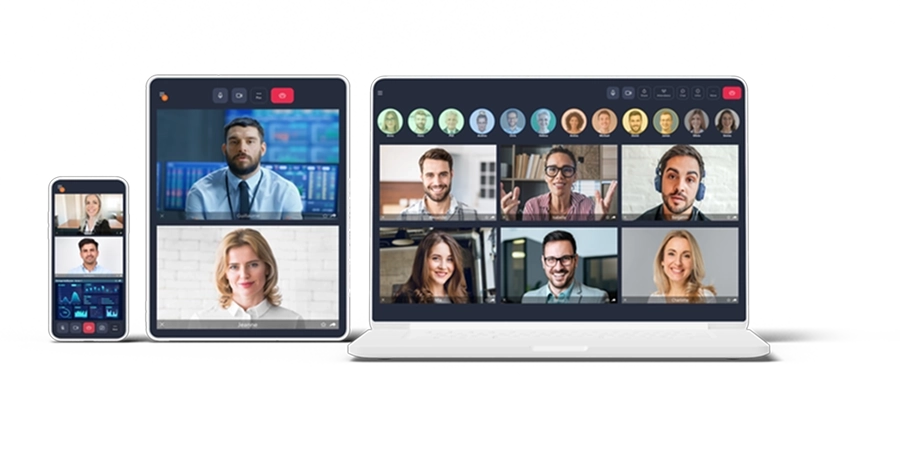
Collaborez efficacement, sans compromis

Chiffrement de bout en bout multipoint
 3 modes de
collaboration sécurisée

Déploiement on-premise ou sur cloud souverain

Développement Secure by Design
Chiffrement de bout en bout multipoint
3 modes de
collaboration sécurisée
Déploiement on-premise ou sur cloud souverain
Développement Secure by Design

Messagerie instantanée chiffrée E2EE

Workspaces et open-space virtuels

Gestion avancée des droits

Conformité RGPD, NIS 2 et DORA
Messagerie instantanée chiffrée E2EE
Workspaces et open-space virtuels
Gestion avancée des droits
Conformité RGPD, NIS 2 et DORA

30% des plus grandes entreprises de Défense européennes* font confiance à Tixeo
*Top100 Sipri 2023
La sécurité des communications :
un enjeu stratégique
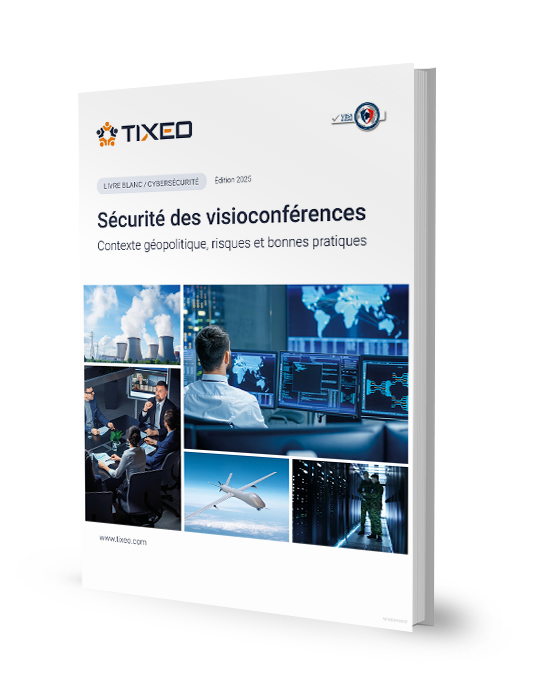
Téléchargez le livre blanc Tixeo
Les événements géopolitiques mondiaux augmentent les risques de cybersécurité des organisations (espionnage des communications en ligne, sabotage, subversion…).
Dans ce livre blanc, découvrez quelles sont les menaces actuelles et comment la plateforme de visioconférence sécurisée représente une solution indispensable
*Les informations recueillies par Tixeo, responsable du traitement, à partir de ce formulaire font l’objet d’un traitement informatique automatisé afin de vous permettre de recevoir le Livre Blanc rédigé par Tixeo, de réaliser des statistiques de téléchargement et des opérations de prospection commerciale des clients professionnels. Conformément au RGPD vous pouvez exercer votre droit d’accès aux données vous concernant et les faire rectifier ou supprimer sous réserve de justifier du respect des conditions légales en contactant : rgpd@tixeo.com. Vous disposez à tout moment d’un droit d’opposition au traitement de vos données concernant toute opération de prospection commerciale par simple email. Pour davantage d’information concernant l’utilisation de vos données personnelles, vous pouvez consulter notre politique de confidentialité.
Tixeo, engagé pour la souveraineté numérique

Depuis plus de 20 ans, Tixeo, éditeur français, développe une technologie hautement sécurisée et limite au maximum ses dépendances économiques et technologiques, pour ses composants les plus critiques.
Son objectif : garantir le plus haut niveau d’indépendance tout en renforçant la souveraineté numérique de ses clients évoluant dans des secteurs sensibles.
Son objectif : garantir le plus haut niveau d’indépendance tout en renforçant la souveraineté numérique de ses clients évoluant dans des secteurs sensibles.